Whether your tests and results are backed up to the cloud - and whether you can restore them - depends on your account type.
If you're using CamGrader without an account, everything stays on your device only. There's no cloud backup and nothing to restore - if you get a new device or lose this one, your tests and results won't carry over. Create an account if you want your data backed up.
Signing in without a subscription does not turn on cloud backup or restore. Your tests and results still live only on your device. Subscribing is what enables the cloud backup features below.
A subscription includes automatic cloud sync, so your tests and results are continuously backed up in the background, usually within a few seconds of each change - you don't need to do anything for this to happen.
If you want everything synced right away instead of waiting, open Settings → Sync All Now. It shows when your data last synced, and is mainly useful right before switching devices or going offline.
The same Data section in Settings also has your export and import options. Export Local Data backs up what's on this device (scores and answers only, no key or scan images), while Download My Cloud Data - subscribers only - exports everything backed up to the cloud, including temporary 24-hour links to download your key and scan images.
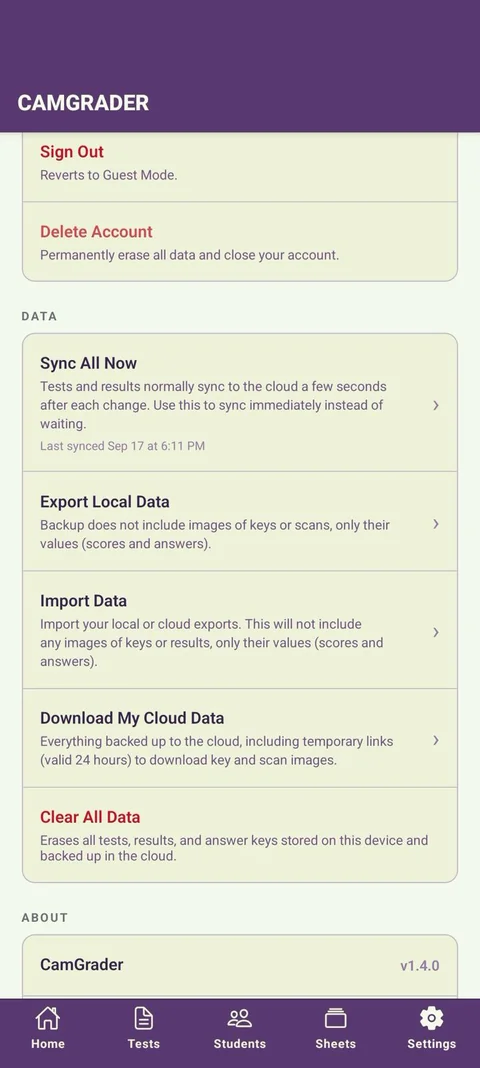
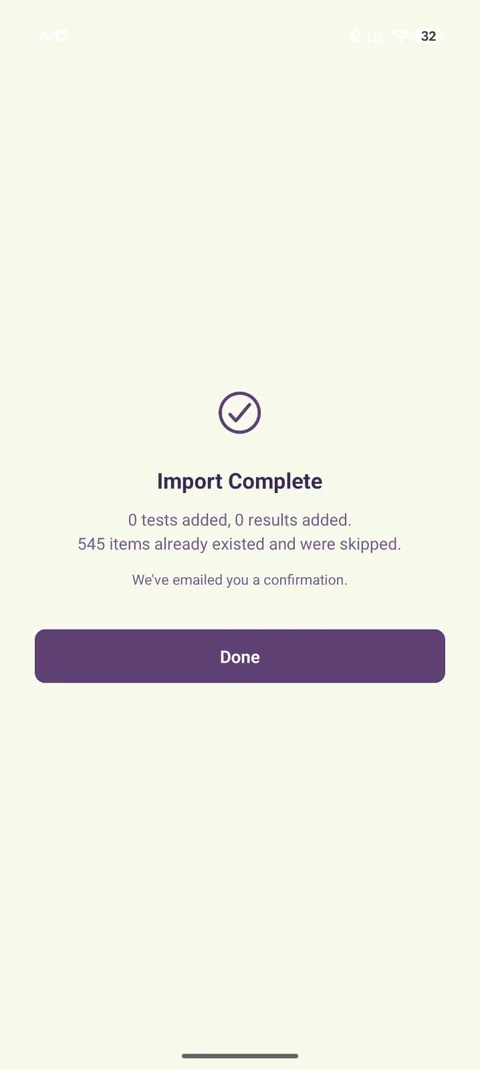
To restore, use Import Data and choose either a local or cloud export file. CamGrader skips anything already on the device and only adds what's missing, then emails you a confirmation - the summary shows how many tests and results were newly added versus already there. This example shows a re-import of data that was already present, so nothing new was added.
If you sign in on a new device, your data restores automatically through cloud sync as well - manual export/import is there as an extra option, not a requirement.